As an Amazon Associate I earn from qualifying purchases. Links marked “Affiliate link” may earn us a commission at no extra cost to you. Learn more.
Quick answer
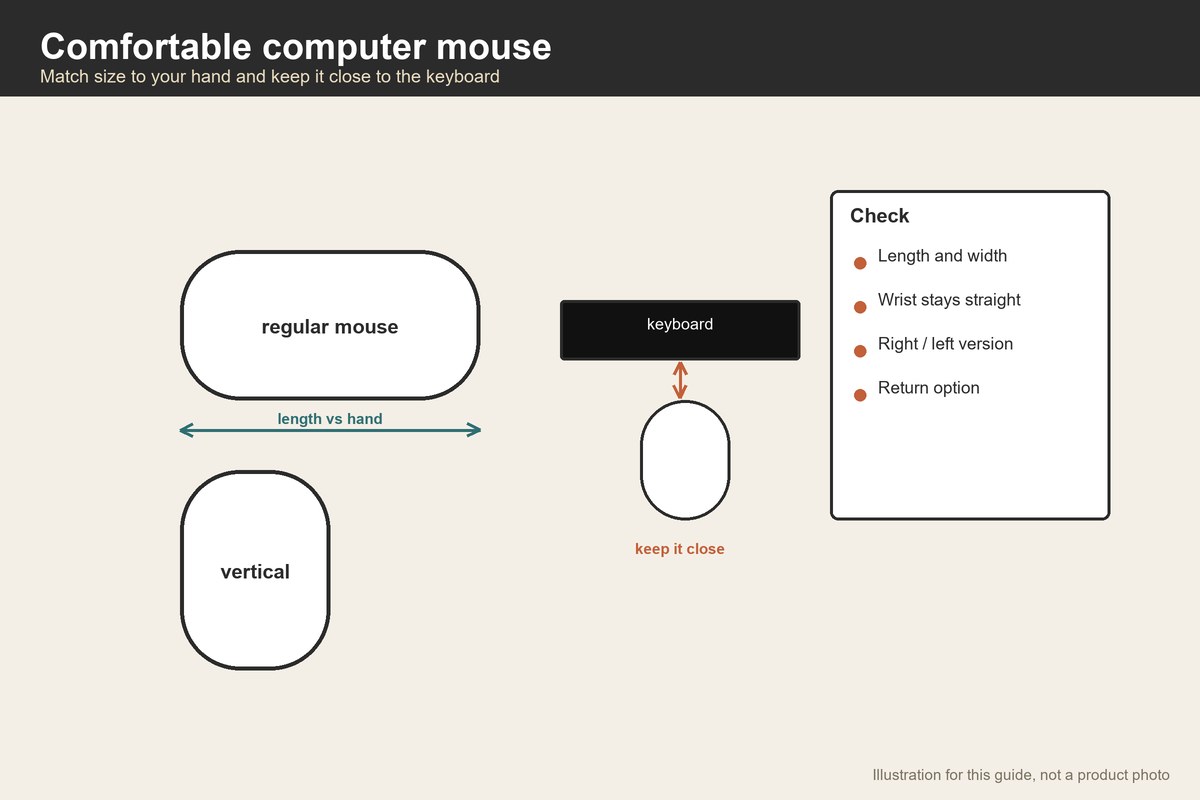
A comfortable mouse is one that fits your hand size, lets your wrist stay straight and sits close to your keyboard. Comfort is personal, so use three checks: measure your hand against the mouse’s listed length and width, choose the shape that keeps your forearm relaxed, and place the mouse near the keyboard. The U.S. Occupational Safety and Health Administration’s mouse guidance says to keep the pointer close to the keyboard, alternate hands when you can and use keyboard shortcuts to reduce extended use.
The shapes we read about on Amazon on 2026-09-30 include conventional and vertical mice. The vertical mice we opened list weights from 3.2 to 4.4 ounces; one lists a length of 4.74 inches and a width of 2.49 inches. All the ones we opened list right-hand orientation. We have not tested any of them, and comfort claims in listings are the makers’ claims.
This guide is general, not medical advice. If you have pain, see a clinician.
What the workplace guidance says
OSHA’s mouse page notes that pointing devices come in many sizes, shapes and configurations, including trackballs, touch pads, fingertip joysticks and pucks, and that selecting and placing the pointer is an important factor in a safe computer workstation. It does not say one shape is best. Its quick tips are short: keep the pointer close to the keyboard, alternate hands and use keyboard shortcuts. Those tips cost nothing and are worth trying before you buy anything.
OSHA’s keyboard page adds a posture check: keyboard directly in front, shoulders relaxed, elbows close to the body and wrists straight and in line with the forearms. A mouse that forces the wrist to bend or the arm to reach far breaks that posture.
Measure your hand
Comfort begins with size. Measure the length of your hand from the wrist crease to the tip of your middle finger and the width across the knuckles. Compare with the mouse’s length and width in the listing. A rough test: your palm should rest on the mouse without your fingers stretching to reach the buttons, and your fingers should not hang off the front. Small hands do better with smaller mice, and large hands with larger ones. Many listings do not state hand-size guidance; if they do not, treat it as unknown.
Conventional or vertical
Conventional mice lie flat with the palm down. They are familiar and available in many sizes. They turn the forearm so the palm faces down.
Vertical mice stand at an angle, so the hand rests more like a handshake. Makers say this reduces forearm twisting; that is a maker’s claim, and reactions differ. Vertical mice can feel odd for a week, and they may not suit precise work like drawing.
Trackballs stay still while you move a ball with a thumb or fingers. See ergonomic trackball for more.
Weight and wireless
The vertical mice we opened weigh 3.2, 4.3 and 4.4 ounces. A lighter mouse is easier to move, a heavier one glides less. Wireless mice use batteries or a rechargeable cell; listed battery lives range widely, from 24 months for a battery-powered model to 168 hours for a rechargeable one. Check that the receiver or Bluetooth suits your device.
Buttons and settings
Pointer size and settings matter too. Slow the pointer speed if you find yourself swiping the mouse across the desk, and enlarge the pointer if you lean toward the screen. Keyboard shortcuts reduce mouse use. Some mice have programmable buttons; more buttons mean more reaching, so keep the buttons you use most under your fingers.
Placement on the table
Put the mouse on the same level as the keyboard, beside it, not on a high shelf. A mouse pad with a wrist rest can help some people; others prefer none. If your table is high, a keyboard tray lowers both. See table ergonomics for legroom and height checks.
A worked example
These are invented hand numbers for planning. Your hand is 7.2 inches from wrist crease to fingertip and 3.4 inches across the knuckles. You compare two mice from the listings.
Mouse A lists 4.74 inches long and 2.49 inches wide. Its length is 4.74 ÷ 7.2 = 66 percent of your hand length, and its width is 2.49 ÷ 3.4 = 73 percent of your knuckle width. That is on the small side for your hand.
Mouse B (an assumed 5.2 by 3.0 inches, since the listing did not state a size) is 5.2 ÷ 7.2 = 72 percent of your hand length and 3.0 ÷ 3.4 = 88 percent of your knuckle width. It probably fills your palm better.
Weight: 4.3 ounces versus 4.4 ounces is a 0.1 ounce difference, about 2 percent, which you will not feel. The size difference matters more. The lesson is to compare size to your hand, not weight.
Claims to read carefully
Listings use words such as ergonomic, carpal tunnel friendly or reduces strain. Those are the makers’ claims. What you can check is measurable: length and width in inches, weight in ounces, the connection type and the battery life. There is no published sizing standard we can cite, so compare the listed length with your own hand. If your hand is 7.2 inches long, a 4.74 inch mouse is only 66 percent of your hand length, so a larger one is probably better.
A short test to run at home
Sit at your table with your normal chair height. Rest your hand on the mouse with your forearm level and your elbow near your side. Click each button five times and scroll ten times. Slide the mouse across a 10 inch stretch of desk and back twenty times. Note any tingling or strain. If your wrist bends up noticeably, lower the keyboard and mouse or raise your chair. Ten minutes of testing on the first day tells you more than any listing.
What to check in a listing
- Length and width. Compare with your hand.
- Hand orientation. All the vertical mice we opened are right-handed.
- Connection. Bluetooth, a USB receiver or both.
- Power. Battery or rechargeable, and how long it lasts.
- Return policy. Comfort is personal, so being able to return matters.
Left-handed users and small hands
Most of the vertical mice we opened list right-hand orientation, so left-handed users should look for a version that says left-handed or ambidextrous. Small hands often do better with compact mice; large hands with full-size ones. Try before you buy if you can, or buy where returns are easy. A mouse that is too small makes the fingers curl; one that is too large makes the wrist bend to reach the buttons.
Testing plan for the first two weeks
Comfort changes as your hand adapts. Use the new mouse for an hour on the first day, then increase. Pay attention to the palm, the wrist and the forearm. If something feels tight, change the pointer speed, the mouse position or the chair height before blaming the mouse. Keep your old mouse for a fortnight so you can compare. If the discomfort is worse after two weeks, return it.
Cleaning and battery habits
Wipe the mouse with a slightly damp cloth, avoiding the sensor opening. Keep the desk surface clean, since dust changes tracking. For a rechargeable mouse, charge it when you are not using it; for a battery model, keep a spare battery. Listings quote battery life under the makers’ test conditions, and real life varies with use. If a listing does not state battery life, treat it as unknown.
Office use and gaming use
A mouse for office work values comfort and quiet buttons. A mouse for games values precision and low delay. Some vertical mice are marketed for office use only. If you play fast games, check reviews for that specific use, and keep in mind that listings rarely state latency. See gaming trackball mouse if you want to try a trackball for games.
When to skip a new mouse
If your discomfort comes from a table that is too high or a keyboard that is far away, a new mouse will not fix it. Try the workstation changes first. If your wrist hurts, see a clinician.
Related guides
See ergonomic trackball, gaming trackball mouse and table ergonomics.
Frequently asked questions
Is a vertical mouse more comfortable?
Some people find it so; makers claim it reduces forearm twisting. It feels different for a week or so, so keep a return option.
How heavy should a mouse be?
The vertical mice we opened weigh 3.2 to 4.4 ounces. Choose by size and feel, not weight alone.
What does OSHA say about mice?
Keep the pointer close to the keyboard, alternate hands and use keyboard shortcuts.
Do I need a wrist rest?
Some people like one; others do not. Check your wrist posture first.
Are wireless mice fine?
They work well, but you must charge or replace batteries.
Bottom line
A comfortable mouse fits your hand, keeps your wrist straight and sits close to the keyboard. Measure your hand, compare sizes in the listing and try the free workstation tips before you buy.
Products worth checking
We have not tested these products. Sizes and features come from the Amazon listings, checked on September 30, 2026; where a listing does not say, we say so.
TECKNET Ergonomic Mouse, 4800 DPI Wireless Bluetooth Vertical
The listing gives 4.74 x 2.49 in; 4.3 oz. We re-opened the page on September 30, 2026 and found these figures; other details are on the product page.
- Good for: a small vertical mouse for smaller hands.
- Keep in mind: it is right-handed and the small size may cramp large hands.
Logitech Lift Vertical Ergonomic Wireless Mouse – Graphite
The listing gives 4.4 oz; 24 month battery. We re-opened the page on September 30, 2026 and found these figures; other details are on the product page.
- Good for: a mid-size vertical mouse with a long battery life.
- Keep in mind: it is right-handed in this version, and the text we read does not give its length and width.
Uineer Ergonomic Wireless Vertical Mouse, 3-Mode Bluetooth
The listing gives 3.2 oz. We re-opened the page on September 30, 2026 and found these figures; other details are on the product page.
- Good for: a light, rechargeable vertical mouse.
- Keep in mind: the battery is listed in hours, and the text we read gives no size.
Sources checked
- Computer Workstations eTool: Pointer/Mouse
- Computer Workstations eTool: Keyboards
- TECKNET Ergonomic Mouse, 4800 DPI Wireless Bluetooth Vertical
- Logitech Lift Vertical Ergonomic Wireless Mouse – Graphite
- Uineer Ergonomic Wireless Vertical Mouse, 3-Mode Bluetooth
Specifications checked on September 30, 2026. Product details and availability can change, so confirm on the product page before you buy.