Correct Desk Posture: 10 Set-Up Checks That Take Five Minutes
Quick answer: most desk set-ups go wrong in three places: the chair is too far forward or too high, the screen sits too low, or the keyboard is out of reach. Fix those three first, then check the rest. You do not need new equipment to start. If you have pain that does not go away, see a clinician, because this guide is set-up advice and not medical advice.
Everything below is common set-up guidance. We did not test these steps against a clinical study, and the numbers are planning starting points you should adjust to your own body and desk.
Why the set-up matters
A desk chair holds you in one position for hours, so a small misalignment repeats all day. A chair that tilts you forward, a screen placed too low or a keyboard too far away each add a little strain. Checking the set-up once, and again after any change of chair or desk, is quicker than fixing discomfort later.
The 10 checks
1. Sit with your hips against the back of the chair
Sit so the back of the seat supports the back of your hips. Sitting on the front edge tilts the pelvis forward and makes it harder to keep the lower back supported. If you slide forward during the day, the seat may be too deep for you, and a small cushion can help.
2. Keep your ears, shoulders and hips roughly in one line
Look at yourself from the side, or ask someone to film you. If your head sits well forward of your shoulders, bring the screen closer or raise it, rather than pushing your head forward to reach it.
3. Support the low back with the chair or a cushion
A cushion or a chair with lumbar support can fill the gap at the lower back. The support should sit in the curve of your back, not at the belt line, and it should not push you off the seat. Many office chairs have a lumbar control, so set it once and check after a few days.
4. Set the seat height so your feet rest flat
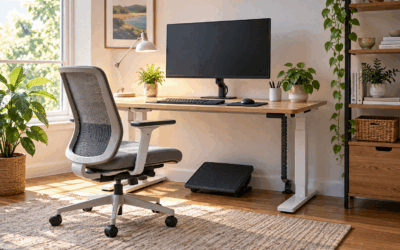
Adjust the seat until your feet rest flat on the floor, or on a footrest, and your thighs are level or sloping slightly down. Many set-up guides start from knees at about a right angle. Treat that as a planning starting point rather than a measured standard. If your feet do not reach the floor, use a footrest.
5. Put the top of the screen at or just below eye level
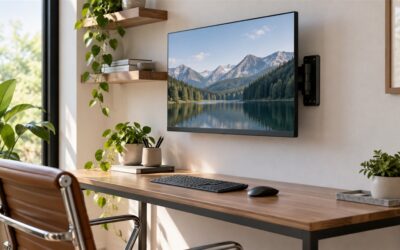
Set the top edge of the screen at or just below eye level so you look slightly down. A screen placed too low makes many people drop their head. Use a laptop stand or a monitor arm if your screen is too low. If you have two screens, put the one you use most straight ahead.
6. Keep the screen about an arm’s length away
Sit back until the screen is about an arm’s length away. This is a common planning guideline, not a measured standard, so adjust it to your eyesight. If you need to lean forward to read, the text may be too small or the screen too far away.
7. Bring the keyboard and mouse close to the body
Keep the keyboard close enough that you do not reach forward. Your elbows can rest near your sides, with your forearms roughly level with the desk. The mouse should sit beside the keyboard, not beyond it. A wrist rest can help, but it should support the palm area and not press into the wrist.
8. Support your forearms on the desk or armrests
Use the armrests or the desk surface to support your forearms, so your shoulders do not rise to hold your arms up. Armrests that are too high push the shoulders up. Adjust them to sit just below the elbow when you type.
9. Keep your feet and legs free
Make sure there is room under the desk for your legs and that nothing presses against the back of your knees. A chair that is too deep for your legs, or a desk that is too low for your knees, both push you into an awkward position.
10. Change position every hour or so
Even a good set-up feels better when you move. Stand, stretch or walk for a few minutes every hour. We cannot give a fixed number, so use a timer or a habit that works for you.
Start with the chair or the desk?
If the chair is the problem, a height and lumbar adjustment may fix it. If the desk is the problem, the desk height or the screen height may be wrong. Check the screen and the keyboard before you buy anything new.
If your desk is fixed at a height that does not suit you, a height-adjustable desk can help. A standing desk changes the set-up, so you will need to recheck your screen height and chair height after moving to a new position.
Products worth checking
You may not need to buy anything to fix your posture. If you have checked the set-up and still need a change, these listings are worth reading. Each one is a fit option, not a medical device.
FEZIBO Standing Desk 48 x 24 Inch Electric Height Adjustable, Maple
- Use: a desk that moves between sitting and standing heights, for people who want to change position during the day
- Height range: 28.3 in to 46.5 in (bullet points). The specs field lists a minimum of 27.3 in, so check the figure on the product page
- Weight capacity: 176 lb (listed)
- Size: 23.6 in deep × 47.2 in wide (listed)
View on Amazon (Affiliate link)
BestOffice Ergonomic Office Chair, Mid-Back Swivel Desk Chair, Dark Black
- Use: a mid-back chair with a height range and an adjustable lumbar area, for a compact desk
- Seat height range: 17.1 in to 20.3 in (bullet points)
- Weight: 19 lb (listed)
View on Amazon (Affiliate link)
Check the listed dimensions and the weight capacity against your own space and body before you buy, because our product file does not cover every detail for these items.
What this guide cannot tell you
- It cannot diagnose pain or tell you whether a set-up will prevent it.
- The numbers are planning starting points. Adjust them to your body and your desk.
- We have not tested any of the products listed above.
Frequently asked questions
Do I need a new chair to sit correctly?
Not always. Many chairs can be adjusted for seat height, depth and lumbar support. Set those first, then check the screen and keyboard. A new chair helps only if the one you have cannot be set to fit.
Which check should I do first?
Start with the screen height, because it changes how you hold your head and shoulders. Then check the chair height and the keyboard distance, in that order.
Is a standing desk better for posture?
A standing desk gives you a second position, which many people find useful for changing posture. It is not a fix on its own. The screen, keyboard and chair still need to be set up for each position.
When should I see a clinician?
If pain persists, gets worse or spreads, or comes with numbness or weakness, see a clinician. Set-up changes do not replace a medical assessment.
Related guides
Disclosure: some links on this page are affiliate links. We may earn a commission if you buy through them, at no extra cost to you. We do not show prices, star ratings or review counts here, so check the current figures on Amazon.